
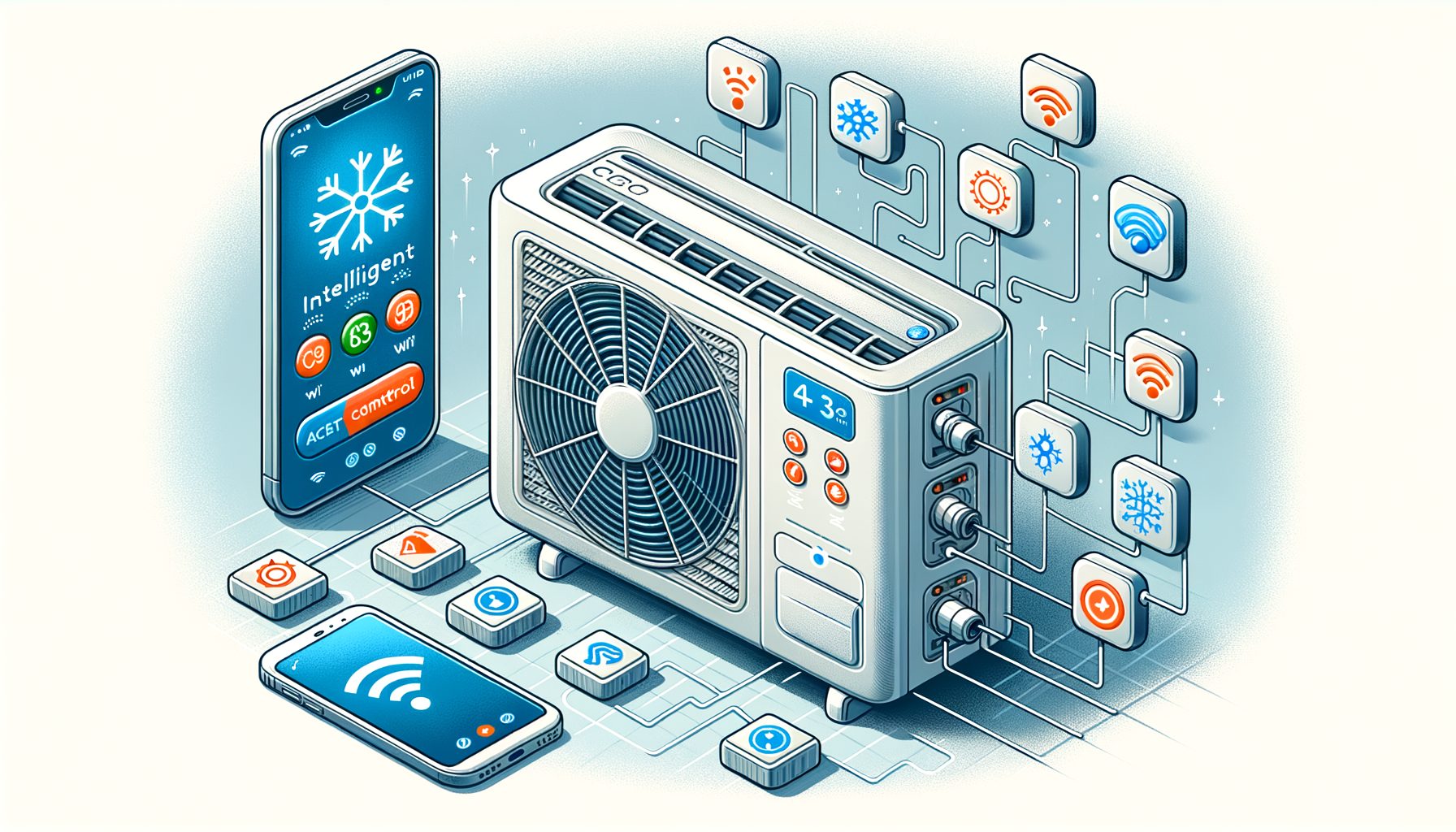
Smart AC controllers deliver intelligent cooling without replacing your existing air conditioner. If high bills, uneven rooms, and constant fiddling with remotes sound familiar, you’ll see in this guide how these controllers work, what tech sits inside, and how to set them up for real savings and comfort. Read on to unlock a quieter, cooler, and more efficient space—automatically.
How Smart AC Controllers Solve Today’s Cooling Problems
Most cooling problems look the same worldwide: energy bills spike during heat waves, rooms feel stuffy or too cold, and schedules change faster than thermostats do. Traditional remotes and wall-mounted controls rarely adapt; they react only when you push a button. Smart AC controllers fix that by adding automation, sensing, and connectivity to the ACs you already own—especially mini-splits, window units, and portable air conditioners that lack a built-in smart thermostat.
At their core, these controllers bridge your unit and the internet. They communicate with your AC using infrared (IR) signals like a remote, or sometimes with proprietary protocols from certain brands. On the other side, they connect to Wi‑Fi or Ethernet, letting you manage temperature, humidity, and schedules from a phone or voice assistant. As a result, energy‑saving routines become simple: pre‑cool before you arrive, reduce runtime when you leave, and align comfort with your day.
Key features go beyond simple on/off. Geofencing adjusts cooling as you come and go. Occupancy detection uses motion or device presence to reduce waste in empty rooms. Weather-aware setpoints anticipate hot afternoons, smoothing temperature swings. Some models monitor humidity too, keeping indoor levels in a healthy range and preventing that clammy feel. Others track filter hours, reminding you before airflow and efficiency suffer.
Benefits stack up quickly. According to ENERGY STAR, certified smart thermostats average about 8% savings, and similar practices carry over to cooling-only setups in many homes and offices. Even modest improvements matter when cooling uses a large share of building electricity. The International Energy Agency reports that cooling already accounts for nearly 10% of global electricity consumption. That means every bit of intelligent control pays back quickly—and cuts peak demand, which benefits the grid and the planet.
The Tech Inside: Sensors, Algorithms, and Integrations That Enable Intelligent Cooling
Behind the scenes, smart AC controllers combine sensors, control logic, and integrations to make decisions in real time. Temperature and humidity sensors read the room. Some devices include multiple sensors or support external probes to reduce “hot corner” bias. Light and motion sensors refine occupancy detection. IR commands are then sent in the exact format your AC understands—often learned from your original remote during setup—so mode, fan speed, temperature setpoint, swing, and more can be adjusted precisely.
Algorithms turn data into action. A basic approach uses hysteresis (a deadband) to prevent rapid cycling: the controller waits for temperature to drift beyond a small range before toggling cooling. More advanced logic applies proportional-integral-derivative (PID)-style control or adaptive setpoint shifting to reduce overshoot and keep rooms stable. If your AC is an inverter-driven mini-split, smoother commands and finer fan control let the compressor run at lower speeds for longer—often the most efficient operating point.
Smart scheduling blends your routine with external signals. Geofencing uses your phone’s location so the system automatically moves to Eco mode when everyone leaves. Weather integrations pull local forecasts to pre-cool before a heat spike. Some platforms support demand-response events via standards like OpenADR, temporarily easing cooling during grid stress and sometimes earning bill credits. A voice assistant ties it all together: “Hey, set living room to 24°C” becomes a natural habit.
Data logging is a hidden superpower. By tracking temperature, humidity, runtime, and setpoint changes, the controller builds a record you can use to tune comfort and find waste. Over time, many systems learn your patterns—what time you wake up, when rooms are occupied, and where comfort matters most—so runtime can be shaved without you noticing. When combined with best practices from thermal comfort research (for example, ASHRAE Standard 55), the result is steady, non-drafty, and right-sized cooling that feels better at slightly higher setpoints, saving energy while keeping you comfortable.
Real-World Setup and Optimization: Step-by-Step Guide for Any Home or Office
Getting results starts with correct placement and calibration. Put the controller where it “sees” your AC’s IR receiver—ideally line-of-sight within the manufacturer’s recommended range. Avoid dead spots blocked by plants, tall furniture, or monitors. Keep the sensor away from direct sunlight, cooking appliances, or vents that blow directly on it; these create false readings that cause overcooling or short cycling. If the device supports external room sensors, position one near the main seating area for accurate comfort control.
Next, teach the controller your AC. Use the remote-learning process so it recognizes on/off, mode, fan, and temperature commands. Verify every button works from the app. Set your preferred units (°C/°F), minimum/maximum setpoints, and fan/swing defaults. If humidity control is available, aim for 40–50% relative humidity, a range many health agencies consider comfortable and mold-resistant.
Build a smart schedule. Start with simple time blocks: a slightly higher setpoint when you sleep, a comfortable setpoint during the day if the space is occupied, and Eco mode when away. Add geofencing to reduce cooling when the last person leaves. Layer in weather-aware pre-cooling on days with extreme heat, so the system coasts through peak prices with less strain. If your utility offers demand-response incentives, enroll and let the controller auto-participate.
Fine-tune comfort gradually. Try nudging the setpoint up by 0.5–1°C (1–2°F) while increasing fan speed or enabling swing; many people feel just as cool with improved airflow. Use ceiling fans to support higher setpoints, reducing AC load. Watch humidity; if it creeps above 55–60%, try a lower fan speed or a “dry” mode to give the coil more time to dehumidify. Set filter reminders by hours or calendar months, and vacuum or replace filters on schedule to keep airflow high and energy use low.
Finally, lock in reliability and privacy. Join the controller to a strong, secure Wi‑Fi network, preferably on a separate IoT SSID. Enable automatic firmware updates. If you travel frequently or manage a rental, activate alerting features so you get notifications for unusually high temperatures, offline devices, or open windows detected via integrations. With these steps, a smart AC controller shifts from novelty to a dependable comfort system that saves energy every day.
Proof of Value: Energy Savings, Comfort Metrics, and Maintenance Benefits
Smart AC controllers earn their keep by blending lower runtime, better comfort, and fewer surprises. Measuring that value turns anecdotes into decisions. Start with baseline data. Track a typical week before automation—daily runtime, average indoor temperature, humidity, outdoor temperature, and energy use (a smart plug, submeter, or whole-home monitor helps). After you deploy schedules, geofencing, and weather-aware pre-cooling, compare the same metrics across similar weather. Simple degree-day normalization makes comparisons fair: evaluate kWh per cooling degree-day rather than raw kWh.
Comfort is more than a number on a screen. Consider stability: fewer spikes and less overshoot feel better and reduce complaints in offices or rentals. Thermal comfort research (ASHRAE 55) shows air movement can offset higher temperatures, so the right fan strategy can keep the same perceived comfort at a higher setpoint—a reliable path to savings without trade-offs. Humidity tracking matters too; keeping 40–50% RH reduces that sticky feeling and helps protect furniture and electronics.
Maintenance is the quiet ROI. Filter reminders protect efficiency, and runtime logs help predict wear. If your controller tracks error codes or integrates with your AC brand, you can catch low refrigerant symptoms or iced coils earlier—long before a midsummer failure. Remote control prevents “setpoint wars” in offices and rentals by enforcing limits and standard modes, shielding both comfort and bills.
The table below summarizes typical impacts from commonly used features. Your mileage will vary by climate, building insulation, AC type, and behavior, but these ranges are realistic starting points.
| Feature | What it does | Typical impact | Reference |
|---|---|---|---|
| Smart scheduling | Aligns setpoints with occupancy and sleep | 3–8% energy reduction | ENERGY STAR |
| Geofencing/occupancy | Shifts to Eco when nobody’s home | 2–10% additional reduction | U.S. DOE Energy Saver |
| Weather-aware pre-cooling | Preps before heat peaks, reduces peak draw | Lower peak load; similar daily kWh | NREL on Demand Response |
| Fan/airflow optimization | Increases perceived cooling at higher setpoints | Comfort at +0.5–1°C setpoint | ASHRAE 55 |
| Humidity control | Targets 40–50% RH for comfort and health | Reduced run time via better moisture control | U.S. EPA |
Globally, improved control adds up. The IEA notes cooling demand is rising fast as incomes grow and climates warm. Smart control is one of the lowest-cost ways to moderate that growth without sacrificing comfort—especially in buildings with mini-splits and room units. These gains are practical, measurable, and scalable across homes, small businesses, and multifamily properties.
Smart AC Controller Q&A: Quick Answers to Common Questions
Q: Will a smart AC controller work with my mini-split or window unit?
A: Most controllers support a wide range of IR-based ACs across global brands. During setup, you either pick your model from a code library or “learn” buttons from your remote. Check the vendor’s compatibility list, and confirm that essentials—mode, fan, temperature, swing—can be controlled. For proprietary or newer protocols, look for brand-specific integrations or gateways.
Q: How much energy can I realistically save?
A: Savings depend on climate, building insulation, setpoints, and habits. Many households see single-digit to low double-digit reductions when using scheduling, geofencing, and slightly higher setpoints with optimized airflow. ENERGY STAR cites an average 8% for smart thermostats on heating and cooling; similar principles apply to cooling-only controllers. The biggest wins come from cutting runtime in empty rooms and avoiding overcooling.
Q: Do I need professional installation?
A: Usually not. Most controllers are DIY-friendly: plug in, connect to Wi‑Fi, learn your remote, and place the device with clear IR line-of-sight. For complex multi-zone offices or where wiring or network segmentation is required, a professional or facility manager can help with placement, policy, and monitoring.
Q: What about privacy and security?
A: Choose vendors with transparent privacy policies, encryption, and regular firmware updates. Place IoT devices on a separate Wi‑Fi network or VLAN when possible. Use strong passwords and multi-factor authentication on your accounts. If available, prefer local control options for basic functions, and only enable cloud features you need, such as remote access or voice control.
Q: Can smart controllers protect my AC or improve its lifespan?
A: Indirectly, yes. By reducing short cycling and avoiding extreme setpoints, mechanical stress and temperature swings can be lowered. Filter reminders and runtime logs help maintain airflow and catch issues early. While they’re not a substitute for professional service, they support healthier operation and fewer emergencies.
Conclusion: Turn Data and Automation into Effortless Comfort
Smart AC controllers bring intelligent cooling to the gear you already own. We explored how they solve everyday problems like high bills, hot spots, and wasted runtime; what technology sits inside—from sensors and IR control to algorithms, geofencing, and weather awareness; how to set them up for accurate readings and dependable control; and how to measure value through energy, comfort, and maintenance, backed by credible sources.
The path forward is simple. Start with proper placement and remote learning. Build schedules that match your routine, then add geofencing and gentle pre-cooling on hot days. Nudge setpoints up slightly and boost airflow to hold comfort at lower energy. Track a week of data, adjust, and repeat. If your utility offers demand-response rewards, enroll and let automation do the heavy lifting. Protect the system with filter reminders and basic network hygiene.
If you manage a home, rental, or office, consider piloting one room first. Compare kWh per cooling degree-day before and after. If the numbers look good—and they likely will—scale to more zones. For facilities teams, pair controllers with simple policies: locked setpoint ranges, clear schedules, and alerts for rooms out of bounds. For everyone, focus on comfort stability and humidity control; they unlock savings without sacrifice.
Ready to try? Pick a reputable controller, check compatibility, and set a goal—say, 5–10% lower cooling energy in 60 days. Let data guide you and keep changes small but steady. Intelligent cooling isn’t about working harder; it’s about letting smart tools work for you. What room will you optimize first?
Sources:
International Energy Agency: The Future of Cooling
ENERGY STAR: Smart Thermostats
U.S. Department of Energy: Thermostats and Control Systems
ASHRAE Standard 55: Thermal Environmental Conditions for Human Occupancy
U.S. EPA: Indoor Humidity and Mold
.